Posts

Technetium 101: Advantages of React Native

Image
React Native is a framework that allows you to build native mobile apps using JavaScript. Normally, you’d need to program your mobile app using Java (for Android) and Swift/Obj-C (for iOS). React Native removes that requirement, leading to fully functional apps on both platforms in much less time and using just one coding language. Why Choose React Native for Mobile App Development? 1. Works under tight budget constraints When you are starting your business, money is the most significant factor you are concerned about. Every start-up wants to achieve fast returns to survive in the tech-savvy market. One has to develop faster and stay longer. The big reason to hire React Native developer is you will save time and money when choosing React Native for mobile app development. 2. One codebase for two platforms With React Native, you create one codebase that works on both Android and iOS. And it doesn’t just ‘work’ - it compiles to native Java and Swift code. Specifically, React Native creat...

Build App Insights: Mobile app development trends 2021

Image
Mobile app development trends 2021 The mobile app development industry is continuously evolving. Technology advancements, consumer demands, and a wide range of other factors have a direct impact on mobile app trends. Staying up to date with the latest trends is arguably the most crucial aspect of success in this space. Mobile app resellers need to keep up with new trends to better serve their clients. The same goes for content creators and producers ready to take their brands to the next level with mobile development.  These trends will invite more users to jump on the bandwagon. Thereby businesses strengthen their user base.  1. Internet of Things (IoT) App Integration The IoT describes the growing network of devices connected to the Internet, providing convenience and automated control to consumers. Smart home technology is a perfect example of the rise in IoT and mobile app development.  Mobile apps can be used to adjust the thermostat in a house from a remote loc...

Technetium 101(React Native): Performance Optimization

Image
  This article will offer a list of suggestions for optimizing performance while building a React Native app 1. Avoid use inline functions directly as props to a component & also avoid inline styling  class Foo extends Component { render ( ) { return ( < button onClick = { ( ) => console . log ( 'boop' ) } > { /* 🙅‍♀️ */ } BOOP </ button > ) ; } } class Foo extends Component { handleClick = ( ) => { // this anonymous function is fine used like this console . log ( 'boop' ) ; } render ( ) { return ( < button onClick = { this . handleClick } > { /* 🙆‍♂️ */ } BOOP </ button > ) ; } } onPress contains an arrow function , a new reference to that inline function is declared in every render . It is not recommended that way. Causing an unnecessary re-render computation. use StyleSheet for styles ref https://medium.com/corebuild-so...

RND : Screen Mirror , miracast or chromecast

Image
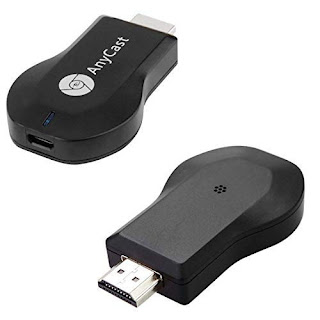
Miracast  Miracast works completely offline Part of the Wi-Fi features on new (gadgets/SmartTV)/dongle Uses Wi-Fi Direct(two devices connect to each other wirelessly, without a Wi-Fi router) Chances are, if you bought a gadget after 2014, it will support Miracast. This includes most TVs, who disguise their Miracast feature under names like "SmartShare", "AllShare", and so on Which Android devices support Miracast? Android supported Miracast in Android 4.2 (KitKat) and Android 5 (Lollipop). However, Google dropped native Miracast support in Android 6 (Marshmallow) and later.  Workaround solution (not tested) Use 3rd party app ay playstore but contain ads at setup( not sure ads will popup while using or not) Google home application Tech https://youtu.be/DhQ3VLesDHM   (miracast dongle for iphone old tv) https://www.youtube.com/watch?v=TCJEGy8ylrk  (miracast dongle for android old tv)         Workaround (miracast dongle for not support andr...

Technetium 101(React Native): Skeleton Screens Packages

Image
*This article covers the Skeleton Screen Packages in React Native options crafted to encourage usability. A skeleton UI resembles the page’s actual UI, so users will understand how quickly the mobile app will load even before the content has shown up. Here are the skeleton screens packages you might want to consider using in your next project: Skeleton Screen Packages in React Native rn-placeholder react-native-skeleton-content-nonexpo rn-placeholder Style Make use of it as component  Props Animation Fade Loader Progressive Raw Shine ShineOverlay Props PlaceholderMedia = image placeholder PlaceholderLine = text placeholder Example import   {   Placeholder ,   PlaceholderMedia ,   PlaceholderLine ,   Fade }   from   " rn-placeholder " ;   const   App   =   ( )   =>   (    <Placeholder Animation={Fade} style={{ marginVertical: 6, marginHorizontal: 15, borderR...

Build App Insights: Skeleton Screens Benefits

Image
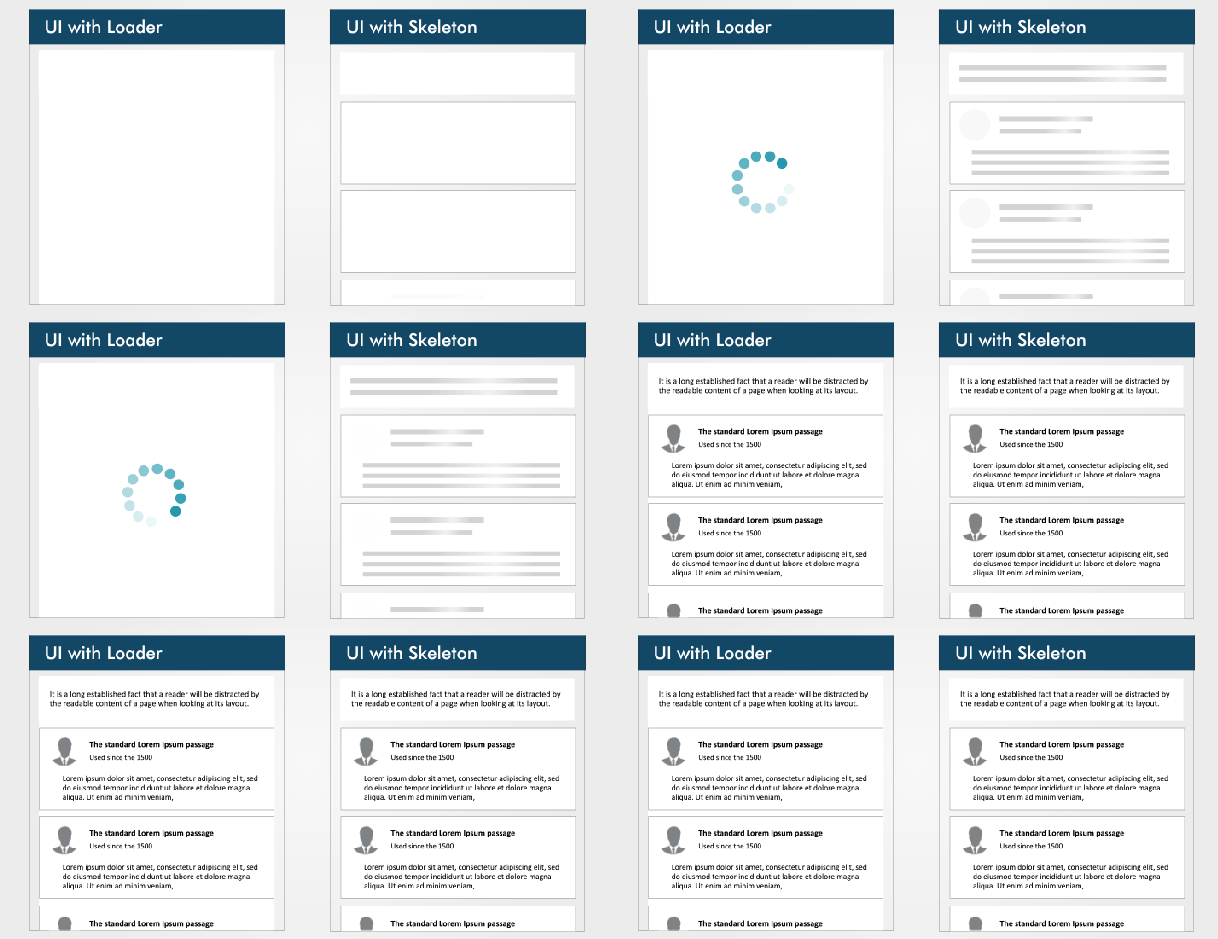
  Skeleton Screens UI and UX experts said that while users wait for content to load on a page, users should be engaged with the loading page. The idea behind using spinners to engage users before content loads is great; however, the result can be less than ideal because most users will get bored or no sign of progress staring at a dummy animated spinner like it’s a clock A skeleton screen is essentially a wireframe of the application. The wireframe is a placeholder until the application finally loads. The skeleton loading screen essentially impersonates the original layout. Rather than most performance or UX wins, this pattern only focuses on improving the perceived experience. When compared against a blank screen or a traditional spinner, skeleton screens are seen as shorter in duration Benefits of Skeleton Screens in Apps 1. Increase perceived performance App feel faster,  App feel more responsive App feel more user friendly. 2. Reduce surprise and disorientation as con...